Your catalog, in a spreadsheet, that actually works. Edit a price or a stock count in Google Sheets and WooCommerce updates in seconds. Every order lands in its own tab the moment it's placed. Connecting takes one paste — no Google Cloud project, no API keys, no OAuth maze.
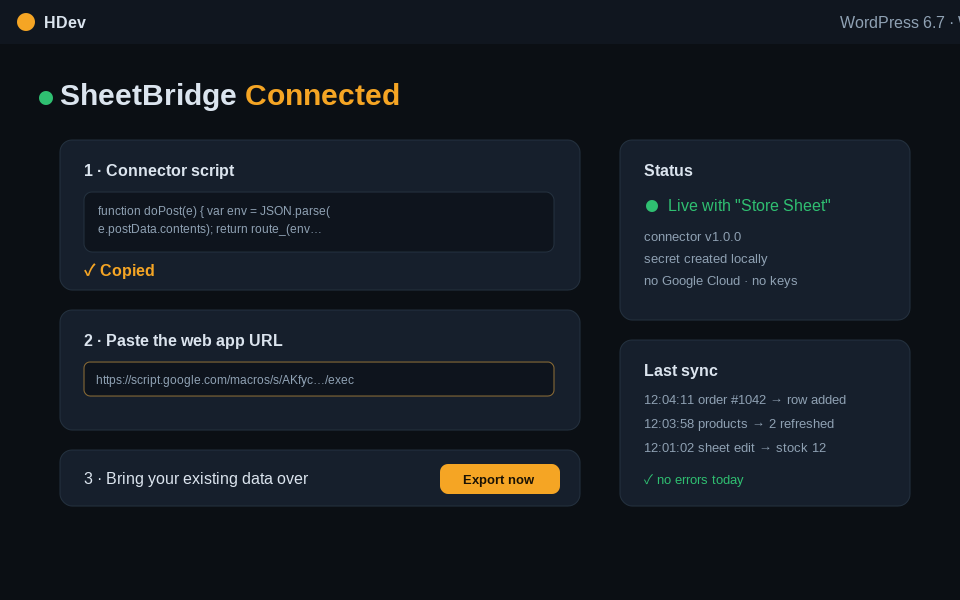
The Connect tab — the entire setup is one copy and one paste.
Click "Copy connector script" in the plugin. Open your spreadsheet → Extensions → Apps Script → paste → Deploy as web app. That's the whole integration.
SheetBridge creates the secret itself (it never leaves your site and Google), makes the Orders and Products tabs, and offers to import what you already have.
Save an order — it's in the sheet. Type a new price or stock number in the sheet — it's in your store. Instant push, a manual button, and a scheduled safety net all agree with each other.
| Free — forever | Pro — $49 once | |
|---|---|---|
| Two-way products (price, sale price, stock, status) | ✓ | ✓ |
| Realtime order rows in the sheet | ✓ | ✓ |
| Row limits | 100 orders / 250 products | Unlimited |
| Two-way order status ("Completed" in the sheet) | — | ✓ |
| Priority support on Discord | Community | ✓ |
| License | — | Perpetual, per site |
No. The connector runs inside your spreadsheet as Google Apps Script, which is free with your Google account. No quota, no billing page, no consent screen.
Your sheet is only driven by requests signed with a secret that is created on your server and never transmitted to Google's network. Knowing the web app URL alone gets an attacker nothing.
Exactly five whitelisted cells per row: product Regular Price, Sale Price, Stock Qty, Stock Status (free), and order Status (Pro). Everything else is read-only on the way in, and the sync never overwrites your own columns or notes.
Yes, via instant push the moment the sheet row changes — with a manual "Push sheet edits now" button in the sheet and a scheduled check as back-ups. You control the schedule.
Simple products today. Variable products (edits applied to parent or variation rows) are the very next build on the bench.
You don't. Pro is one payment for the life of that install: unlimited rows, two-way order status, and 12 months of updates and priority support. The free core never expires.
Disconnect, paste the connector into the new sheet, reconnect. Your old sheet stays exactly as it was.
Setup help, bug reports and feature votes — the person who wrote this code answers there, usually the same day. Pro customers get a priority channel with a 24-hour response promise.
